I have used more than 10 screen recorder apps for more than 5 days to find out which one is best. I have finally found the best screen recorder app for out todays list that allow you to record up to 1080 FPS with out any lags and audio delays, also in this screen recorder you will not get any watermark on your recorded videos and more importantly it works very well with low end mobiles as well .
If you record your screen for making educational or game play videos, then this article is for you because i will reveal the app in this article. Let’s get started!
X Recorder Lite
The screen recorder I’m talking about is X Screen Recorder Lite – You can download this screen recorder app from google play store or i will give you the download link below this article, You can download from that link.
This is very light weight app with app size is only 11.93 MB.
Best Setting For This App
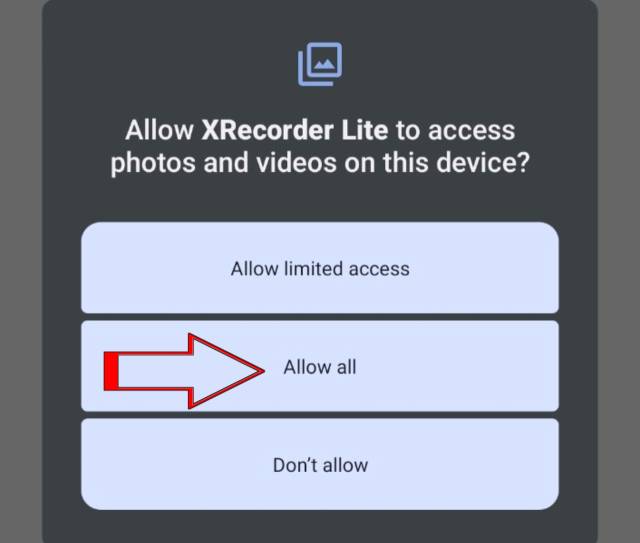
Once you open the app, Allow all its necessary permissions like storage, audio and mic simply allow them all, Once you allow its permissions then go to down right side “setting option” then you will get Audio settings just open it and here you have to select record in-app sound.
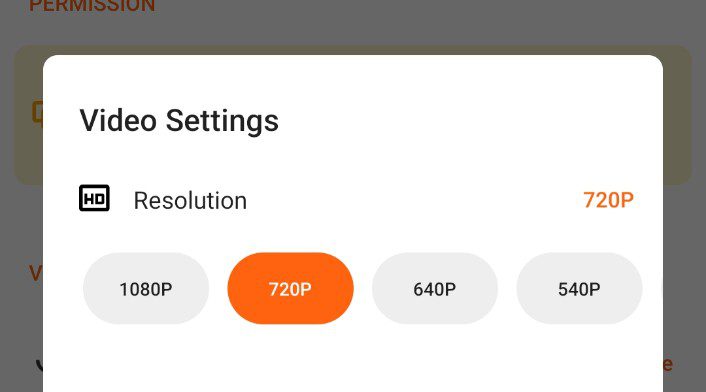
Now lets move to next settings here you will get is “Multiple Resolution” options like 1080FPS, 720FPS and 640FPS choose any one among them according to your needs, I would suggest if you have new generation processor in your phone then go with 1080FPS because it gives you best video quality.
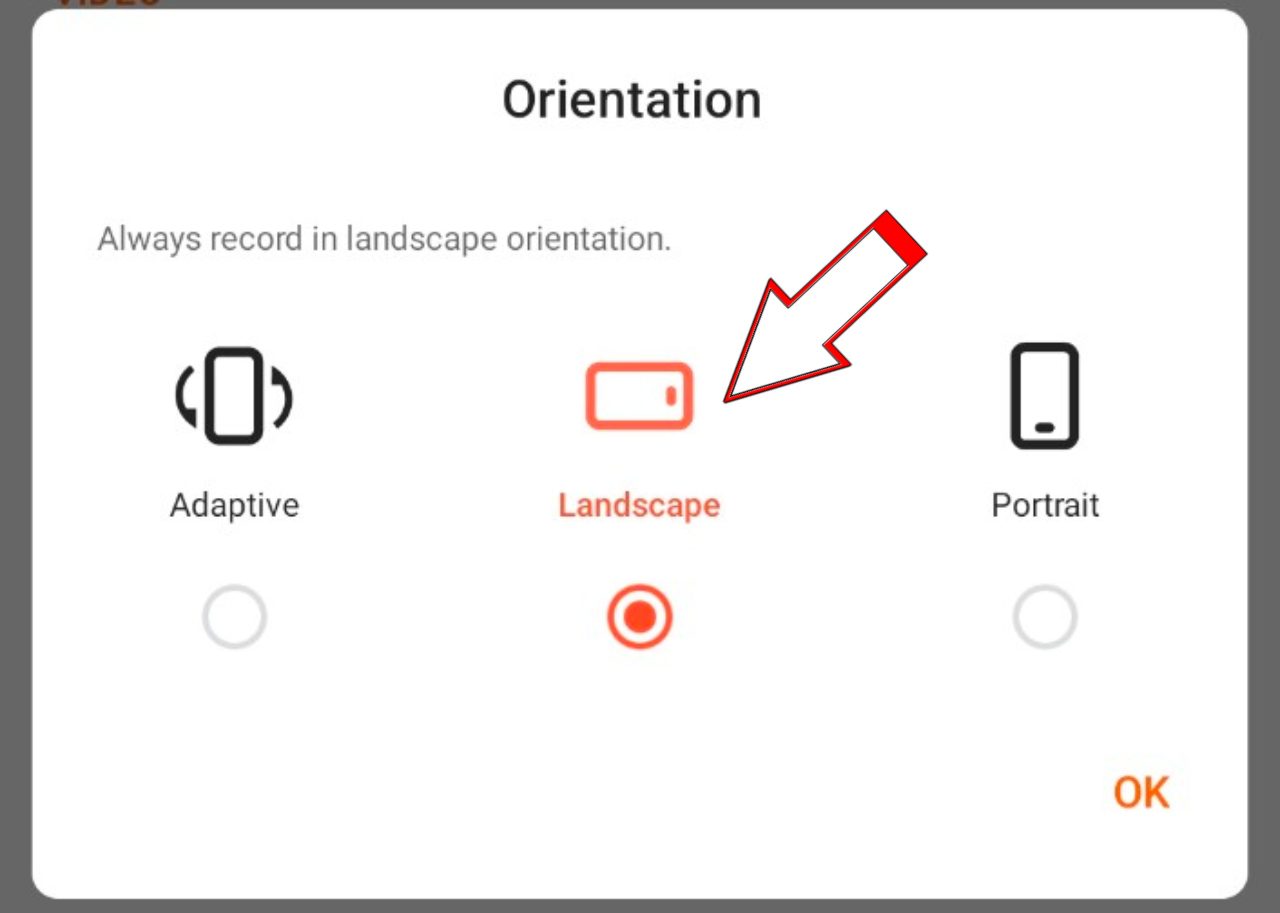
Now lets move to next setting, Now open “Orientation” here you have to choose landscape if you make videos for game paly or presentation videos then choose landscape.
Next setting is “Count Down” here you can choose how many seconds after screen recorder starts recording video, You can choose according to your preferences like 3sec, 5sec, or 10sec.
“Hide floating ball during recording” This setting is all about while you start recording it will disappear, Make sure you enable this.
“Shake phone to stop recording” This setting is all about, when you shake the phone after your recording completes it will stop its recording function.
Some Tips
- use device cleaner: Now a days every phone comes with its inbuilt instant device cleaner app, use this app before you start your screen recording because it close all the back ground running apps to improve your device functionality.
- Clean your storage : Always make sure you delete the unwanted apps, photos, audios from your device because the more storage is available the more app will works perfectly. At least maintain 30% to 40% space free in your mobile.
- What one thing i have notice during testing of these apps, if your storage is full the audio and video quality effects a lot.
Some other best screen recorders in this list after “x lite screen recorder”.
You can consider these below screen recorders as well because they are also best and easy to use:
- Glip screen recorder
- AZ Screen recorder
- DU Screen recorder
Also Read This Article: Best 5 Video Editing Apps for iPhone Users in 2025
Conclusion
So, if you are tired of testing so many screen recorder apps that lag, have watermark or don’t work on your phone, then just download X Recorder Lite from the above download link. I have done all the testing for you and this is the one app that truly works for making professional gameplay and educational videos without any hassle. Always remember to clean your device and free up some storage before you start recording for the best results. so go ahead and start creating your amazing videos. Cheers!


1 thought on “The Best Screen Recorder For Android (2025 Tested and Reviewed)”